
Privacy and logging controls which email threads Fello records and shows in Conversations. It applies to the contact emails that stream in from your connected Google account, and it keeps private and internal email out of shared view while still surfacing your conversations with contacts.
In this article:
- How email logging works
- Internal threads are never logged
- Using the Never Log list
- Removing an entry
- What happens to emails that are not logged
How email logging works
Find these settings under Settings > Privacy & Logging (in the Account section). 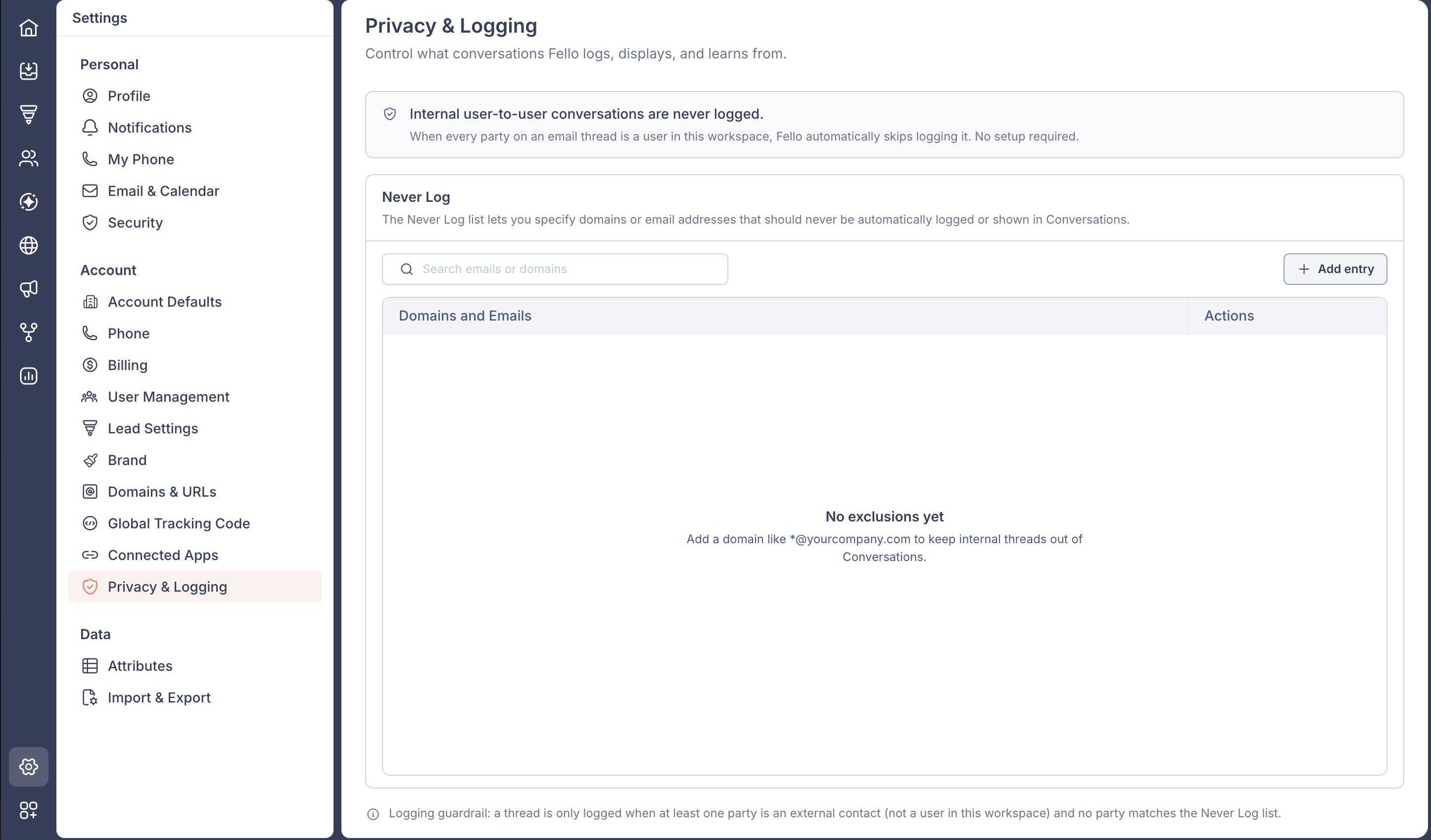
An email thread is logged and shown in Conversations only when both of these are true:
- At least one person on the thread is an external contact, not a user in your workspace.
- No one on the thread matches your Never Log list.
If a thread does not meet both conditions, Fello skips logging it.
Internal threads are never logged
When every person on an email thread is a user in your workspace, Fello automatically skips logging it. No setup is required.
This matters when a workspace user is also saved as a contact in Fello. Without this rule, private emails between team members could surface in Conversations. Fello prevents that by keeping your workspace's users on the Never Log list automatically. They are excluded even though they do not appear in the list.
Using the Never Log list
The Never Log list lets you add specific email addresses or domains that should never be logged or shown in Conversations, in addition to the automatic internal exclusion.
- Go to Settings from the bottom-left corner.
- Select Privacy & Logging under Account.
- Click Add entry.

- Enter an email address or a wildcard domain (see below).
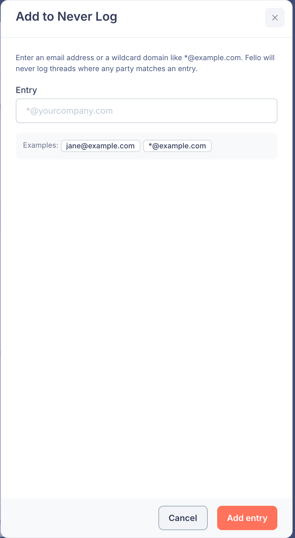
- Click Add entry to save.
Saved entries appear under Domains and Emails.
Email addresses and wildcard domains
You can add either:
- A full email address: for example, jane@example.com. Only that address is excluded.
- A wildcard domain: for example, *@example.com. Every address at that domain is excluded. Add an asterisk (*) before the @ to match the whole domain.
🗒️ Note: Be careful with public email providers such as gmail.com, outlook.com, or yahoo.com. Many contacts use these, so a wildcard like *@gmail.com would exclude every contact on that provider, and their emails would stop appearing in Conversations. Use wildcard domains for domains you control, such as your own company, rather than shared public providers.
Removing an entry
To stop excluding an address or domain, click Remove next to it in the list. Removal takes effect immediately. Threads from that address or domain can be logged again going forward. Emails that were skipped while the entry was active are not added retroactively.
What happens to emails that are not logged
Excluding a thread does not stop you from emailing. You can still send email to those addresses. When a thread is not logged, Conversations indicates that an email was sent without recording the message in the thread.