
Fello automatically analyzes your contacts against property ownership records to help you understand who owns what, and who used to. This article explains how that matching works, what you'll see on a property, and how to use Ownership Status to segment your database.
In this article:
- How Fello matches contacts to properties
- Ownership Status
- Current Owner Match and Previous Owner Match
- How Fello chooses which status to display
- Where you'll see Ownership Status
- Filtering by Ownership Status
How Fello matches contacts to properties
When a contact is associated with a property, Fello compares the contact against two sets of ownership records:
- The property's current owner(s)
- The property's previous owner(s)
Based on how closely the contact matches each set, Fello assigns a confidence level and determines the contact's most likely relationship to the property.
🗒️ Note: Property ownership data is sourced from public records and MLS, and is refreshed regularly. It may take some time for recent ownership changes to be reflected in Fello.
Ownership Status
Ownership Status shows Fello's best assessment of a contact's relationship to a property.
- Current: The contact is likely the current owner of the property.
- Previous: The contact owned the property in the past, but no longer does.
- Unknown: A property is associated with the contact, but Fello does not have enough signals to confidently determine ownership.
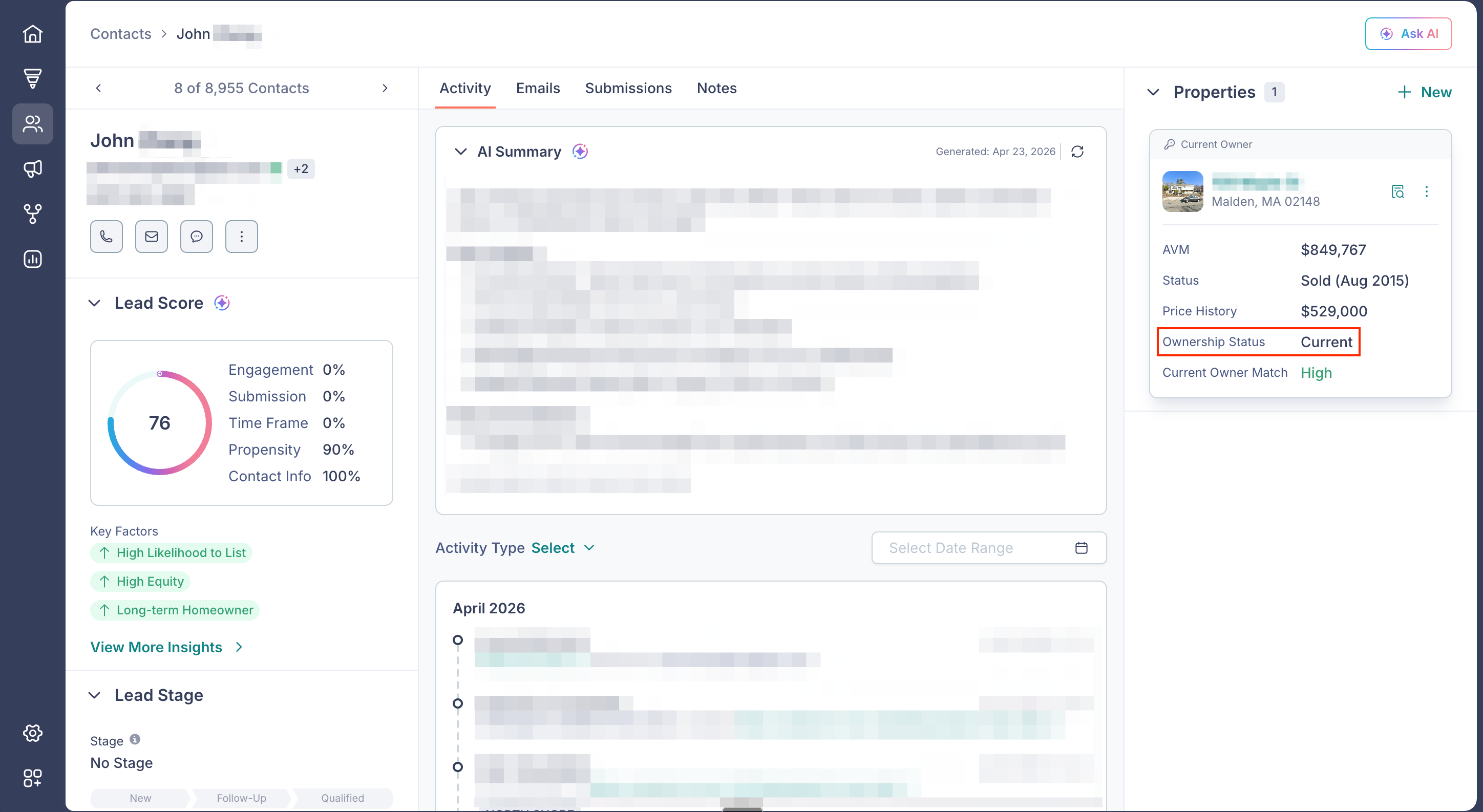
Each property associated with a contact has its own Ownership Status, so a contact with multiple properties may have a different status for each one.
Current Owner Match and Previous Owner Match
Alongside Ownership Status, Fello shows two confidence indicators that reflect how strongly the contact matches each set of ownership records:
- Current Owner Match: How closely the contact matches the property's current owner(s).
- Previous Owner Match: How closely the contact matches the property's previous owner(s).
Each indicator has one of three values:
- High: Strong match.
- Medium: Partial or approximate match.
- Low: Weak or no meaningful match.
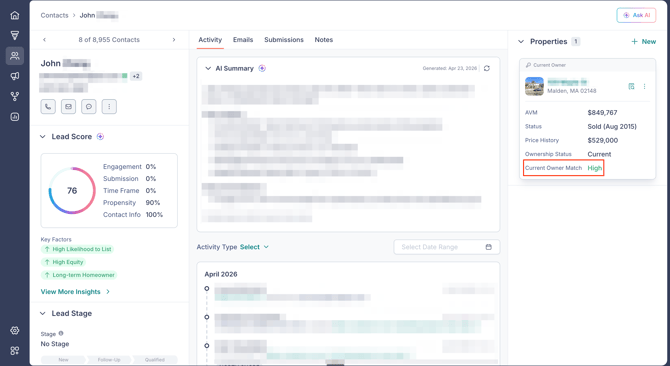
These indicators are shown so you can see the underlying signal behind the Ownership Status.
How Fello chooses which status to display
Fello uses current and previous owner match confidence levels to determine a single Ownership Status for each property. In simple terms:
- The stronger of the two matches wins.
- If Current Owner Match and Previous Owner Match are tied at the same confidence level, Current is displayed.
- If both matches are Low, or if no reliable match can be made, the status is set to Unknown.
This means you'll only ever see one Ownership Status per property. Fello will not show both a current and previous likelihood for the same property.
Where you'll see Ownership Status
Ownership Status appears in several places across the contact record:
On the property card in the contact's Properties panel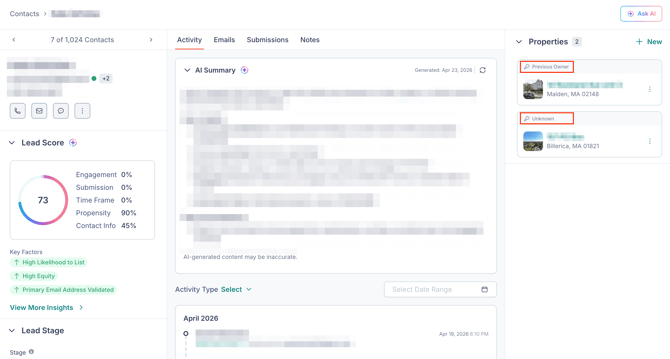
The header label on each property card reflects the Ownership Status, and the status is also listed in the expanded quick info view.
On the property detail page, in the Owner Match section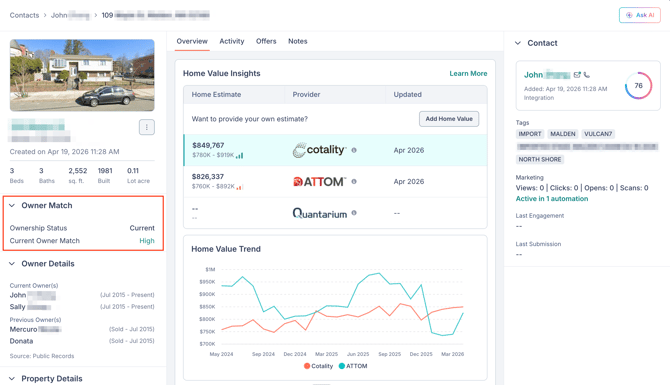
Opening a property from the contact record shows a dedicated Owner Match section with the Ownership Status.
In the Owner Details section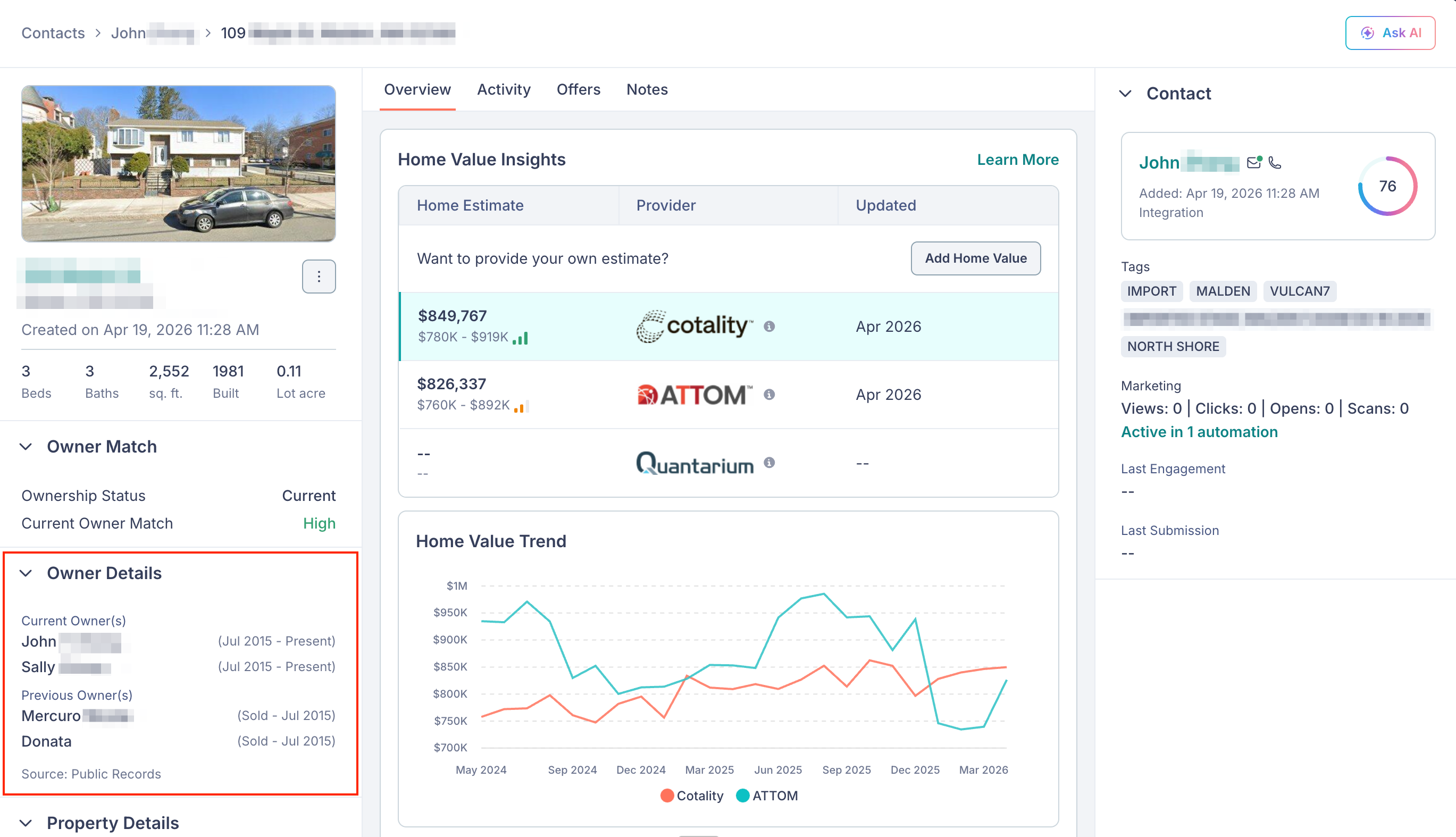
Just below Owner Match, the Owner Details section lists the property's current and previous owners of record, along with the source of the information.
Filtering by Ownership Status
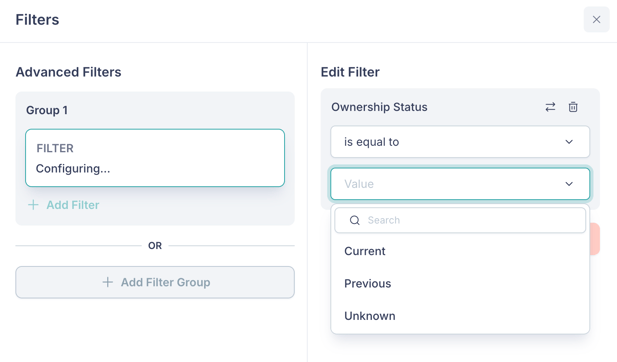
You can filter your contacts by Ownership Status to build segments and lists around property ownership. Ownership Status is available as a filter and accepts the values Current, Previous, and Unknown.
💡 Tip: If you want to filter more precisely based on match confidence, you can also filter by Current Owner Match or Previous Owner Match directly, using the values High, Medium, or Low. 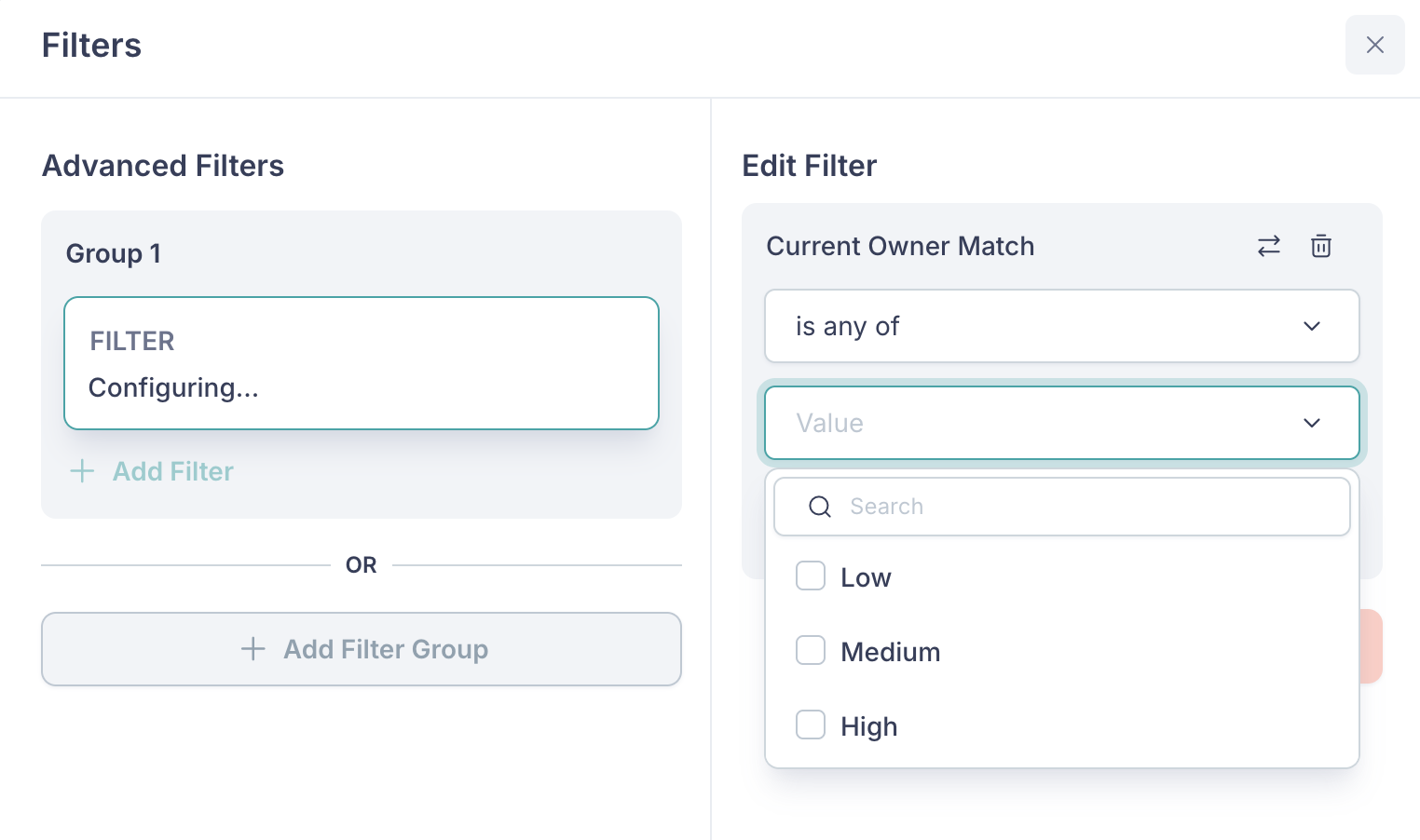
This is useful when you want to target only the strongest matches (for example, contacts with a Current Owner Match of High) or review weaker matches more carefully.