<img height="1" width="1" src="https://www.facebook.com/tr?id=903890904183020&amp;ev=PageView &amp;noscript=1">
Skip to content
  • There are no suggestions because the search field is empty.

How to switch between different Fello accounts

Learn how to switch between different accounts with the same email address in Fello. 

Before you can use this feature, make sure you're invited as a user with the same email address on each of the accounts you want to access.

To switch between accounts:

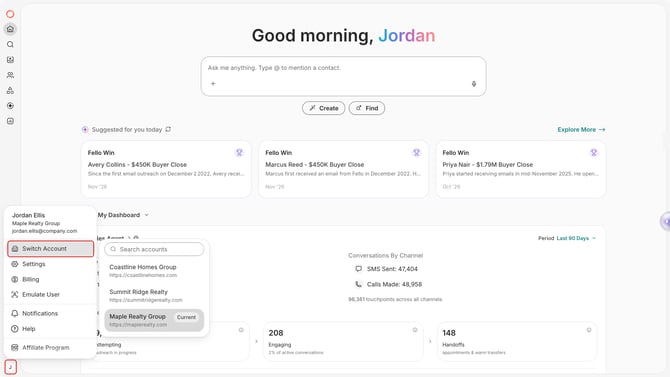
  • Click your profile icon at the bottom of the left sidebar.
  • Select Switch Account.

    The profile menu at the bottom of the left sidebar with Switch Account highlighted and the list of accounts open
  • Select an account to access it. Your current account is marked Current. If you have access to many accounts, use Search accounts to find one.
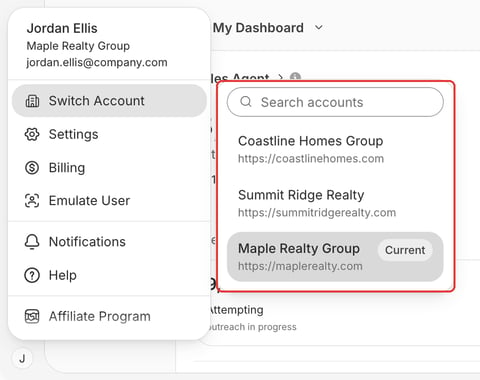
    The list of accounts with a Search accounts box and the current account marked Current